How to A/B Test YouTube Thumbnails in YouTube Studio
Plan distinct thumbnail variants, run YouTube Studio's native A/B test, and interpret Winner, Performed Same, or Inconclusive results.
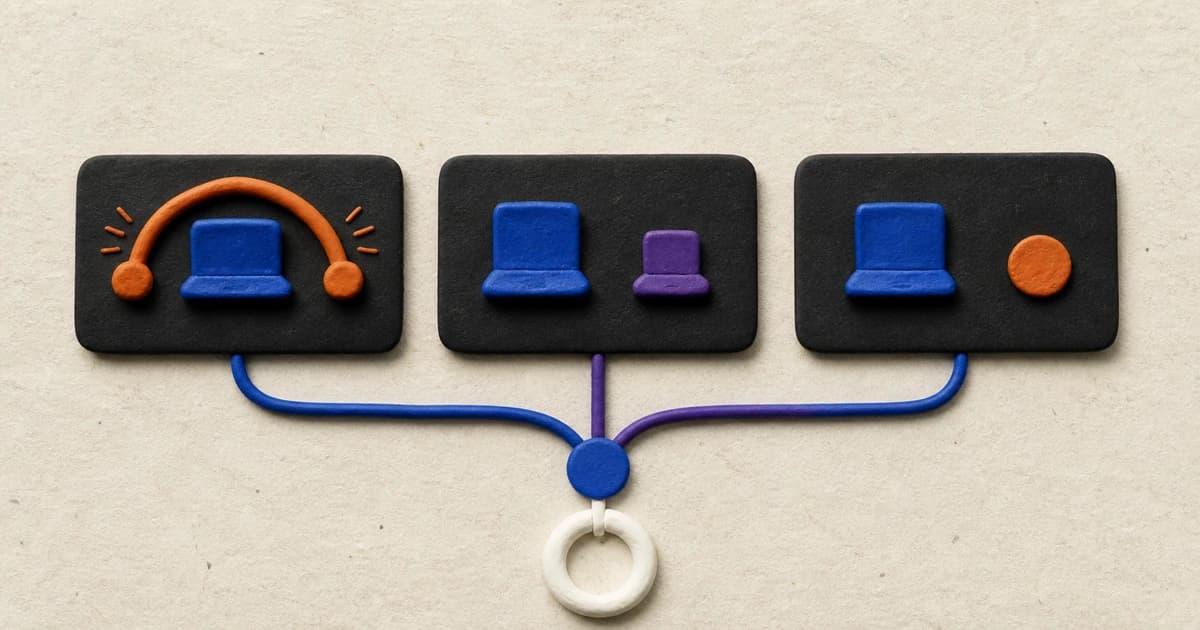
To A/B test YouTube thumbnails, open an eligible video in YouTube Studio on desktop, choose A/B Testing under Thumbnail, select Thumbnail only, and upload two or three meaningfully different options. YouTube runs them concurrently and judges the result by watch-time share, not CTR alone. Let the test finish, then read Winner, Performed Same, or Inconclusive as a result for that video, not a permanent design rule.
The mechanics take a few minutes. The harder part is deciding what deserves to be tested and what the result can honestly tell you.
What YouTube's thumbnail test actually measures
YouTube's native tool can test a title, a thumbnail, or a title-thumbnail combination. If you want to compare thumbnails, keep the title fixed and choose Thumbnail only. That way, each option makes the same verbal promise and the experiment compares the visual packages.
This is a concurrent A/B/C test. The options run during the same period instead of replacing one another week by week. That matters because a sequential swap can mix the thumbnail change with a changing audience, recommendation cycle, news event, or video age.
YouTube selects a winner by watch-time share. A thumbnail has to earn the click and set an expectation that the video can fulfill. This is why the option with the highest CTR is not automatically the option YouTube will choose.
The result still has a boundary. If one concept changes the subject, composition, text, and use of a presenter, a win says that package performed better for that video during that test. It does not isolate which ingredient caused the difference.
Check whether the video is eligible
The current native test requires YouTube Studio on a computer and access to advanced features. You can start it on a new upload or an existing eligible video.
YouTube currently excludes:
- Shorts;
- Scheduled Lives;
- active Premieres, until the Premiere ends and becomes a long-form video;
- videos marked made for kids;
- mature-audience videos;
- private videos.
Live Archives can be eligible. If the A/B Testing control is missing, check the video's format and visibility plus the channel's feature eligibility before redesigning anything.
YouTube recommends testing older videos first to limit risk while you learn the tool. That is advice, not a requirement. A new upload can also be tested when it meets the eligibility rules.
Plan variants that answer a useful question
Three nearly identical exports may feel controlled, but they often ask a question too small to matter. YouTube explicitly warns that overly similar options can make it harder to declare a winner.
At the other extreme, three completely unrelated promises make the result hard to reuse. One might sell a comparison, another a dramatic failure, and the third a tutorial the video barely contains. A strong click cannot rescue a misleading premise.
Start with one truthful video promise, then give each variant a distinct communication job. For a product video, those jobs might be:
- show the product doing the difficult thing;
- show the comparison the viewer came to understand;
- show the creator's honest verdict after using it.
Keep the title fixed for a thumbnail-only test. Check every option at feed size. Remove any variant that needs a full-screen explanation or implies footage, a result, or an emotion that the video does not contain.
There is a useful tradeoff here. Change one small element when you genuinely need to isolate that element. Change the concept when the current concept is the open question. If a multi-element concept wins, treat the whole package as the result. Do not retroactively claim that one word, face, or color won the test.
A worked three-concept planning sheet
On August 11, 2026, we inspected the latest 18 Tech entries returned by ThumbnailUp and preserved three examples with different communication jobs. This was pattern research, not a performance study. Public views and outlier scores were not used to rank the examples.
The hypothetical video premise is: I replaced my $1,500 laptop with a $500 laptop for 30 days. The fixed title is: I Replaced My $1,500 Laptop With a $500 One for 30 Days. No YouTube test was run for this worksheet.
| Variant | Communication job | Original concept for this video | What it tests | | --- | --- | --- | --- | | A | Workload under pressure | An original frame of the $500 laptop handling the hardest real workload, with the machine and creator's hand visible; no face or added text | Does visible action make the practical constraint clear? | | B | Budget versus premium | The creator's own $500 and $1,500 laptops photographed side by side at the same angle, showing the same truthful workload; no face or added text | Does the direct replacement comparison explain the premise faster? | | C | Creator verdict | An original photo of the video's creator holding the budget laptop with the short question “ENOUGH?”, only if that question matches the video's conclusion | Does the human judgment make the 30-day outcome clearer? |
The communication jobs came from three live public references:
- an action-led durability image where the physical test is visible;
- a two-device comparison that works without a presenter or headline;
- a creator-verdict package that combines a person, products, and a short judgment.
Those links are references for what an image can communicate, not templates. The planned variants use the hypothetical creator's own devices, footage, face, conclusion, lighting, and composition. They do not reuse a source creator's image, likeness, words, typography, or layout.
The first reference also exposes a practical research trap: its automated tags reported faces, but manual inspection found hands and a phone, not an identifiable face. Visual filters are good for finding candidates. They are not a substitute for looking at the image.
Run the test in YouTube Studio
Once all options accurately represent the same video:
- Open YouTube Studio on desktop.
- Upload a new video or choose an existing video from Content.
- In the Title box or under Thumbnail, select A/B Testing.
- Choose Thumbnail only.
- Upload up to three thumbnails, with an acceptable default option first.
- Select Done.
Use high-resolution files for every option. YouTube says that if any experiment thumbnail is below 1280 by 720, it will downscale all of them to 854 by 480.
Then leave the package alone. Manually changing the video's title or thumbnail while the test is running stops the experiment, after which you would need to restart it.
You can follow progress under Analytics → Reach → How your A/B test is going → Manage test. A test may finish in a few days or take up to two weeks, depending partly on impressions and how recently the video was published.
Read Winner, Performed Same, and Inconclusive
YouTube reports one of three outcomes based on watch-time share.
Winner
One option clearly outperformed the others, and YouTube considers the difference statistically significant. Use that option for this video. If you changed several design elements, keep your conclusion at the package level.
Performed Same
The test ran, but the options performed about the same. Small numerical differences are not a hidden winner. Choose the package you prefer based on accuracy, clarity, brand fit, or production simplicity.
Inconclusive
YouTube did not find a strong statistical difference in engagement. This can happen when the options have little measurable effect or the video does not receive enough impressions. The first uploaded title-thumbnail option becomes the default, although you can change it manually after the test.
An inconclusive result is not proof that thumbnails do not matter. It is also not permission to crown the option with the largest raw percentage. It means this experiment did not produce a strong enough difference.
YouTube may keep a small control group outside the experiment. Those viewers see the default title and thumbnail, and their performance is excluded from the experiment calculations.
Turn one result into the next useful test
Record the video, fixed title, thumbnail files, start date, result label, watch-time shares, and what differed among the concepts. Then write the narrowest conclusion the test supports.
Good: “The side-by-side comparison won for this laptop replacement video.”
Too broad: “No-face thumbnails beat faces in tech.”
If the result is Performed Same, you may already have learned that a more expensive design did not produce a measurable advantage. If it is Inconclusive, check whether the concepts were too similar and whether the video had enough impressions before choosing the next question.
Do not turn one winner into a permanent house style. Topic, audience familiarity, traffic source, and the promise of the next video can all differ. A test is local evidence from a real audience, not a universal thumbnail law.
How to research variants in ThumbnailUp
ThumbnailUp's public gallery can help before the experiment. Narrow the gallery to a relevant category, then compare examples by visible job: action, product, comparison, result, place, person, or text-led premise. Look for counterexamples so the first repeated pattern does not become a rule.
The gallery shows real public thumbnails, visual tags, and public performance context. It does not expose private impressions or CTR, and it does not run the authenticated YouTube test. Use it to form stronger questions. Use YouTube Studio to answer one of them with your own audience.
For a repeatable way to collect references without copying them, use the structured thumbnail research workflow. If words are the variable you want to study, first decide what job thumbnail text should perform.
FAQ
Does YouTube A/B test thumbnails by CTR?
Not by CTR alone. YouTube determines the result by watch-time share because the thumbnail should earn a click and help the viewer choose a video they will actually watch.
How long does a YouTube thumbnail A/B test take?
YouTube says a test can take a few days or up to two weeks. Timing varies with factors such as impressions and how recently the video was published. Let the native report declare the outcome instead of imposing an arbitrary cutoff.
What does an inconclusive thumbnail test mean?
It means the experiment did not find a strong statistical difference in engagement among the options. The concepts may have had little measurable effect, or the video may not have received enough impressions. Keep the first uploaded option or choose another manually; do not invent a winner.
Can I A/B test thumbnails on Shorts?
No. YouTube's current native A/B testing is not available for Shorts. It is also unavailable for Scheduled Lives, active Premieres, made-for-kids videos, mature-audience videos, and private videos.
Should I change one element or the whole thumbnail concept?
Change one element when isolating that element is the actual question. Change the concept when you need to compare different ways of communicating the video's promise. A concept-level winner tells you which package performed better; it does not reveal which individual change caused the result.
Sources
- YouTube's official A/B testing guide for current eligibility, setup, concurrent testing, timing, watch-time-share decisions, control groups, and result labels.
- ThumbnailCreator's Studio testing guide for the current search-result baseline; its unverified performance claims and universal thresholds were not used.
- ThumbnailUp's live latest-Tech sample, captured August 11, 2026. Inventory, public metrics, and automated tags can change.
Open ThumbnailUp's public gallery, collect three communication jobs rather than three layouts, then build original variants and let your own concurrent YouTube test answer the question.