Make your next video
impossible to scroll pastwith AI agents such as Codex, Claude, ChatGPT, and Gemini
Give your AI assistant real YouTube thumbnail references. It checks your draft against videos that already won in your niche and tells you what to change before you publish.
Start a 7-day trial for $0Your AI + ThumbnailUp

keto-bread-draft.jpg
1280 × 720
Review my thumbnail before I publish. Title: The Craziest Keto Bread We've Tried (We actually loved it!)
Compared with 3 cooking outliers

1LifebyMikeG

2SAM THE COOKING GUY

3Chef Jean-Pierre
- 1.
Bring the bread up to your face. Like 2, hold it right under your face so both read at feed size. Here the food sits across the frame from you.
- 2.
Show the bread, not the fillings. 1 and 3 put the bake, cut open, in the foreground. Here lettuce and turkey hide the keto bread.
- 3.
Match your reaction to the title. “Craziest” needs a bigger expression, like the wide-eyed look in 2. Yours reads as mild surprise.
Review your thumbnail
See exactly what you need to change.
Open Review for visual edit markers, design ratings, title feedback, and a YouTube-style feed view. Your private history keeps each review ready to revisit.
Review
How to Get Google Voice Number Outside US | FREE American Phone Number
Quick fixes
Design rating
Good foundation
out of 100
Title & thumbnail
Room to improveThe flag and the phone make the US number idea concrete.
Swap the headline for the payoff, like "FREE US NUMBER", and let the phone show the app.
From idea to upload
From the first reference to your final thumbnail.
Turn a folder of inspiration into a clear direction for your next video.






01
Find your references
Give your AI a topic. Bring back real thumbnails and see how other creators approach it.

A person
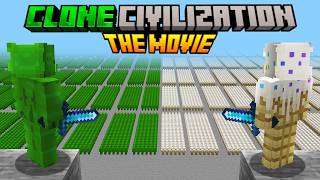
An illustration

A bold headline
Compare the directions. Choose the one that makes your video idea clearest.
02
Work through the idea
Compare directions, compositions, and title pairings with your assistant before you design.

03
Refine your thumbnail
Upload your thumbnail. Get specific changes to try, then check the result at feed size.
Works in your AI chat
Give your AI real YouTube thumbnail data.
On its own, an assistant reviews your thumbnail from general knowledge. Connect ThumbnailUp and it works from real YouTube thumbnails, titles, and public video data. It finds references for your topic, then reviews your draft against relevant examples.
- References from real videos, with links to the originals
- Reviews grounded in relevant examples, not a generic opinion
- Prioritized edits instead of a vague thumbs-up
- Your thumbnail and title checked together
- Research, ideas, and review in one conversation
keto-bread-draft.jpg
1280 × 720
Review my thumbnail before I publish. Title: The Craziest Keto Bread We've Tried (We actually loved it!)
Your AI on its own
Looks good overall! A few ideas: make the text bigger and bolder, use brighter colors so it pops, show more excitement in your expression, and try the rule of thirds.
Your AI + ThumbnailUp
Compared with 3 cooking outliers
Outlier: views compared with the channel's typical video
1LifebyMikeG
2SAM THE COOKING GUY
3Chef Jean-Pierre
- 1.
Bring the bread up to your face. Like 2, hold it right under your face so both read at feed size. Here the food sits across the frame from you.
- 2.
Show the bread, not the fillings. 1 and 3 put the bake, cut open, in the foreground. Here lettuce and turkey hide the keto bread.
- 3.
Match your reaction to the title. “Craziest” needs a bigger expression, like the wide-eyed look in 2. Yours reads as mild surprise.
Explore 10,000+ YouTube thumbnails.
Search real YouTube thumbnails by topic and narrow them down by faces, emotion, text, color, or layout. Compare channel-relative performance alongside the design.
- Browse by niche or search for a specific topic
- Find visual patterns across different channels
- Explore for free with your account
Explore
Your next idea starts with a reference

I Spent 100 Days Conquering the NEW CRAZY CRAFT Remake
DefinitelyDead

IMPORTANT: Get Your Family Ready. Here's How.
Food Prep Guide

The LIES That Make Hardware ACTUALLY Work
Enrico Tartarotti

We Played Hide & Seek Grinch Edition (VR)
daukeytoo
Who is ThumbnailUp for?
Thumbnail designers
Find references for the brief, explore visual directions, and get another perspective before you send a draft to your client.
YouTube creators
Give your next video a thumbnail that makes its idea clear. Research, check the title pairing, and refine it before publishing.
Channel strategists
Research competing videos, compare thumbnail approaches, and turn what you find into a clearer brief for your designer.
A small CTR change can add up.
You put hours into the video. Its thumbnail helps people decide whether to click. See what reaching a higher CTR would mean for your channel. Start with your impressions, then compare your current CTR with a target.
+1,000
additional clicks at your target
Calculated from your inputs. A target is not a prediction of your results.
Frequently asked questions.
Have a question that isn't covered here? Get in touch.
Bring the idea. Find your direction.
Put the library and your AI to work on your next video. Research the idea, review the draft, and keep improving.
Start a 7-day trial for $0Cancel anytime.

