Best YouTube Thumbnail Research Tools: Choose by Job
Compare six YouTube thumbnail research tools for discovery, outlier context, feed preview, AI ratings, and real viewer testing.
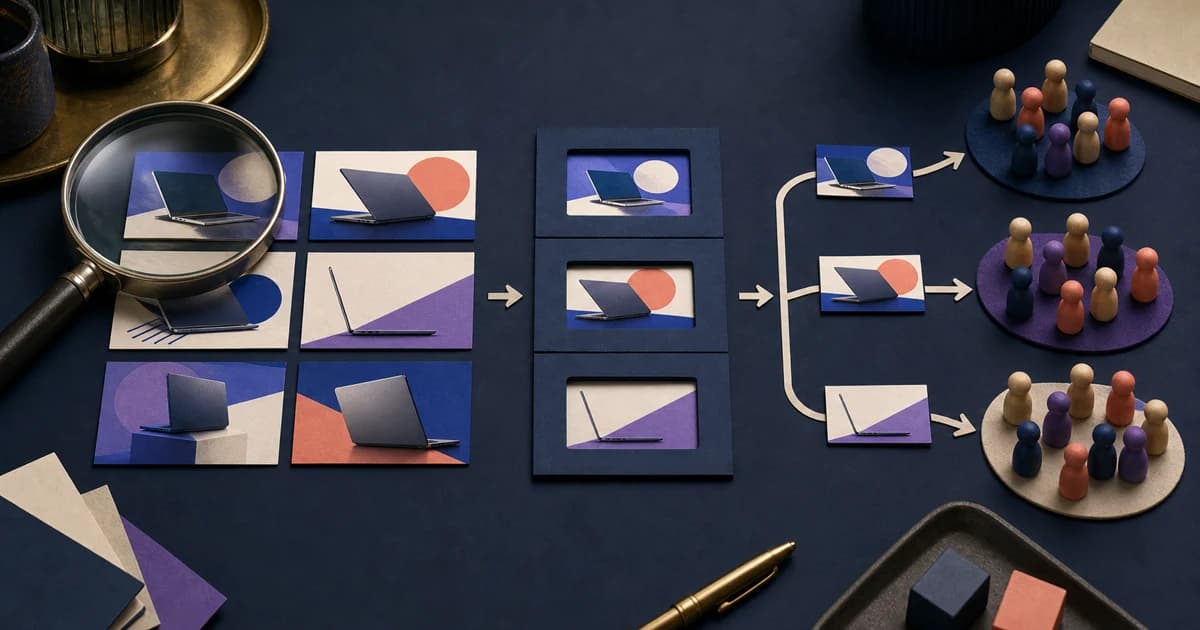
The best YouTube thumbnail research tool depends on what you need to learn next. Use a public gallery such as ThumbnailUp for free discovery and public pattern research; Viewstats or 1of10 for deeper outlier and niche research; ClickPilot or TestMyThumbnails for feed previews and review; and YouTube Studio for a real experiment with your audience.
Those jobs produce different kinds of evidence. A 10x outlier is an observation about a published video. A feed preview shows whether your draft survives at small size. An AI score is a subjective model judgment. A YouTube Studio test measures how real viewers responded to eligible variants. Treating all four as “thumbnail testing” makes the comparison sound simpler than the decision really is.
Choose the evidence you need before choosing a tool
Start with the question, not the product list.
If you need references for a new video, look for discovery: topic search, niche filters, channel pages, dates, and enough context to understand what each image is packaging.
If you want to know whether a published video was unusual for its channel, look for channel-relative performance context. Raw views alone favor large channels. An outlier score can surface a smaller channel's breakout, although it still cannot tell you whether the thumbnail caused the result.
If you already have a draft, you need a preview. Put the image beside other videos at feed size, add the real title, and check mobile, desktop, light, and dark layouts where available. This catches tiny text and weak focal separation. It does not forecast a click.
If you need audience evidence, use an experiment. A real thumbnail test needs eligible alternatives, impressions, and a defined outcome. YouTube's native tool runs that test inside Studio. A model score or a designer vote can improve a draft, but neither substitutes for viewers.
How we audited the six tools
On August 21, 2026, we checked six products through their official documentation and relevant public or no-account pages: ThumbnailUp, Viewstats, 1of10, ClickPilot, TestMyThumbnails, and YouTube Studio.
One hypothetical upload kept the comparison concrete: I Tested 5 Budget Laptops. For each product, we asked whether a creator could find published references, see public performance context, preview an original design, receive a heuristic prediction, or run a real viewer experiment.
We did not create accounts, start trials, connect a channel, or guess what happened behind a gate. The fixed task was run only where public access allowed it. On ThumbnailUp, the exact budget laptop search returned no entries. Widening the phrase to laptop returned 12 under Top outliers, including product-led, comparison, question, problem, and transformation premises.
That result was useful, but imperfect. Several entries came from the same channel, so the set needed a diversity check before it could become a creative brief. The audit also could not compare private CTR or declare a winning tool. It compared jobs, access, and evidence.
Six current YouTube thumbnail research tools
ThumbnailUp: free public discovery and visual filtering
ThumbnailUp's Explore gallery is the strongest fit when you want to browse real YouTube thumbnails with a free account. You can search titles and channels, compare raw views with channel-relative outliers, and filter by category, date, channel size, face count, emotion, text density, style, background, color, and visible elements.
For the laptop task, the broad search produced enough material to identify several communication jobs: show one remarkable machine, compare two options, frame a problem, ask a verdict question, or show a transformation. That is more useful than copying the first attractive layout because each job can become a different original concept.
The August audit covered Explore, which shows public thumbnails and public performance context. That audited surface did not preview or rate unpublished drafts, generate images, expose private impressions or CTR, or run an authenticated viewer experiment. Later draft work on Review is outside this comparison. Automated visual tags are discovery aids and still need manual inspection.
Choose ThumbnailUp when you need a free starting set with an account and want to study visible patterns in context. Use another tool after you have an original draft.
Viewstats: deeper niche search and research collections
Viewstats positions Thumbnail Search inside a broader research layer with outliers, competitor monitoring, alerts, channel analytics, and collections. Its official product page places Thumbnail Search in Pro, while the current help record describes text, video-URL, and image-based search plus sorting by similarity, outlier score, views, and date.
That combination suits creators or teams who research thumbnails repeatedly and want saved boards connected to public video context. Searching by an existing image can also help move from “something like this” to a set that can be compared.
We could not run the laptop task inside Thumbnail Search without an account. The official Help Center also entered a security-verification loop during the audit, so we preserved the gate instead of inventing results. What the public surface supports is the product's research job, not a claim that its suggested thumbnails will improve your own CTR.
Choose Viewstats when searchable niche research and organization are regular parts of your workflow, and budget for a separate preview and real test.
1of10: outliers that lead into ideas and creation
1of10 combines outlier discovery with competitor tracking, saved folders, Thumbnail Search, niche research, ideas, titles, and generated thumbnails. Its current official product page says the free plan includes outlier search and tracking for up to three channels; Thumbnail Search and Niche Explorer sit in the paid research plan.
This makes 1of10 useful when the research process begins with unusual videos and continues into packaging ideas. It reduces handoffs between finding an example and drafting a new title or thumbnail direction.
The evidence still changes as you move through the product. An outlier is a public relative-performance observation. A generated concept is creative output. The public thumbnail previewer is a layout check. None of those is a controlled audience result.
We did not create an account, so the laptop query was not run inside its outlier or thumbnail search. Choose 1of10 when you want research and creation in one workspace, but keep its inspiration, generation, preview, and performance claims in separate columns in your notes.
ClickPilot: feed preview, references, and review rounds
ClickPilot is built around the stage after a concept exists. Its public thumbnail library offers broad category browsing, while the preview tool places an uploaded thumbnail and title in a YouTube-like home feed. The full product adds inspiration boards, versions, pinned feedback, comments, and approvals.
That makes it a strong fit for thumbnail designers, creators working with editors, and teams whose drafts currently disappear into chat threads. A public review link can settle which version was approved. A realistic feed view can reveal whether the approved version is still readable beside competing videos.
The public library supported broad Tech browsing during the audit, but not an exact title-keyword search for the laptop task. The preview also needed an original image upload, which we did not supply to third-party services in this run. More importantly, approval is a workflow state and preview is a visual check. Neither is a viewer experiment.
Choose ClickPilot when draft review, feed context, and version clarity are the bottleneck. Pair it with a deeper discovery source if topic research is the bottleneck instead.
TestMyThumbnails: a quick no-account preview
TestMyThumbnails exposes a public upload or sample flow for seeing a thumbnail and title inside YouTube-like layouts. Its inspected page covered multiple views plus light and dark modes, with separate products for thumbnail ratings and testing.
This is useful for a cheap question: does the focal point survive at the size and contrast of a real feed? A preview can expose words that only work full-screen, a subject that blends into neighboring cards, or a title-thumbnail package that repeats itself.
The language around ratings needs care. A model can critique hierarchy, text size, contrast, or likely attention. Unless a result comes from actual impressions, it remains a heuristic. The public preview did not discover laptop references or measure viewers, and we did not infer how gated rating or testing features worked without an account.
Choose TestMyThumbnails when you want a quick context check before publishing. Do not turn a high score into a forecast.
YouTube Studio: the real viewer experiment
YouTube Studio's native A/B testing is the only option in this audit whose official documentation established a concurrent experiment with real impressions. Eligible creators can test up to three titles, thumbnails, or combined packages on desktop. YouTube evaluates the options using watch-time share rather than CTR alone.
Studio is weak at pre-production discovery. It does not give you a niche-wide thumbnail database or build the concepts. It also requires advanced features, an eligible video, and enough audience activity for a useful result.
Its narrower job is exactly why it matters. After research and preview, Studio can answer how eligible packages performed with your viewers for that video. A winner supports a local conclusion about the tested package. It does not prove that one face, color, or word should become a permanent rule.
Choose YouTube Studio when the concepts are ready and the question needs audience evidence. If the mechanics or result labels are unfamiliar, use the full YouTube thumbnail A/B testing guide.
Practical tool stacks for different workflows
A free research and testing stack
Use ThumbnailUp to collect a coherent set of public references. Use a public previewer from 1of10, ClickPilot, or TestMyThumbnails to inspect your original draft in context. Then use YouTube Studio when your channel and video are eligible.
This stack covers discovery, preview, and real testing without pretending one screen does all three. The tradeoff is manual organization and fewer saved research features.
A research-heavy creator stack
Use Viewstats or 1of10 when you repeatedly track competitors, outliers, and niche patterns. Save references by communication job rather than by creator style: product comparison, visible action, verdict, transformation, or evidence.
Move only a small set of original concepts into a feed preview. Run the strongest two or three in Studio. The paid research layer earns its place if it reduces weekly collection and organization time, not because it promises certainty.
A designer or team stack
Use a discovery tool to establish the brief, then move original drafts into ClickPilot for feed preview, versioning, comments, and approval. Keep the video premise, title, and source links beside each version so feedback is tied to the actual package.
The approved concepts still need channel-owned evidence. Team consensus can choose what ships; it cannot tell you what viewers would have done with the alternatives.
How to research thumbnail concepts with ThumbnailUp
Start in ThumbnailUp Explore with the narrowest topic phrase that should produce a useful set. If the result is empty or dominated by irrelevant literal matches, remove an adjective or search the core object. In our audit, budget laptop was too narrow while laptop produced a workable first pass.
Do not stop at the first page. Check whether one channel dominates the set, whether old and new videos are mixed, and whether the sort selected for the outcome you are now trying to study. A Top outliers result is deliberately outcome-selected. It can reveal unusual channel-relative videos, but it cannot prove that a visible choice created the outcome. The separate outlier-score guide explains that limit.
Save three references that perform different communication jobs. For the laptop premise, those might be a direct side-by-side comparison, a visible workload under pressure, and a clear creator verdict. Record the source URL, title, date, channel, and why the image earns attention. Then design with your own products, footage, people, and conclusion.
For a repeatable collection and counterexample method, follow the 30-minute thumbnail research workflow. Research should leave you with better questions and original concepts, not a folder of layouts to trace.
FAQ
What is the best free YouTube thumbnail research tool?
ThumbnailUp is a free option for discovery with an account, visual filtering, and public channel-relative context. 1of10 also advertises free outlier discovery, while several preview products expose a public basic tool. The best free stack still uses separate stages: research, preview, then YouTube Studio testing when eligible.
Can a thumbnail research tool predict CTR?
It can estimate or rate a design, but a prediction is not measured CTR. Public views and outlier scores also lack private impressions and a controlled alternative. Treat scores as critique prompts. Use your own YouTube Analytics or an eligible concurrent test for audience evidence.
What is the difference between a thumbnail preview and an A/B test?
A preview renders your thumbnail and title inside a YouTube-like layout so you can inspect size, contrast, and competition. An A/B test serves alternatives to real viewers and compares their measured response. The preview answers “can people read this?” The experiment answers how eligible packages performed during the test.
Do I need more than one thumbnail tool?
Usually, if you want the whole workflow. Discovery, preview, collaboration, generation, and viewer testing are different jobs. A creator may only need a public gallery, one previewer, and YouTube Studio. A team that researches every week may justify a deeper search product and review workspace.
Sources
- YouTube's official A/B testing guide for current eligibility, concurrent testing, watch-time-share evaluation, and test scope.
- Viewstats official product page and Thumbnail Search documentation for its research positioning and search workflow.
- 1of10 official product and plan page plus its public thumbnail previewer for access and feature boundaries.
- ClickPilot's public library and previewer for reference, feed-preview, and review jobs.
- TestMyThumbnails' public preview surface for its no-account layout check and separate rating products.
- ThumbnailUp's public fixed-task queries and screenshots, captured August 21, 2026. Inventory, public metrics, visual tags, and access gates can change.
Open ThumbnailUp Explore, search one narrow topic, and save three references with different communication jobs. Build original concepts from your own video, preview them at feed size, and let an eligible YouTube Studio test answer the audience question.